

Know what you can spend today.
A travel budget for one trip at a time. Log a purchase in two taps, in whatever currency is in your hand.
 No account. Works offline.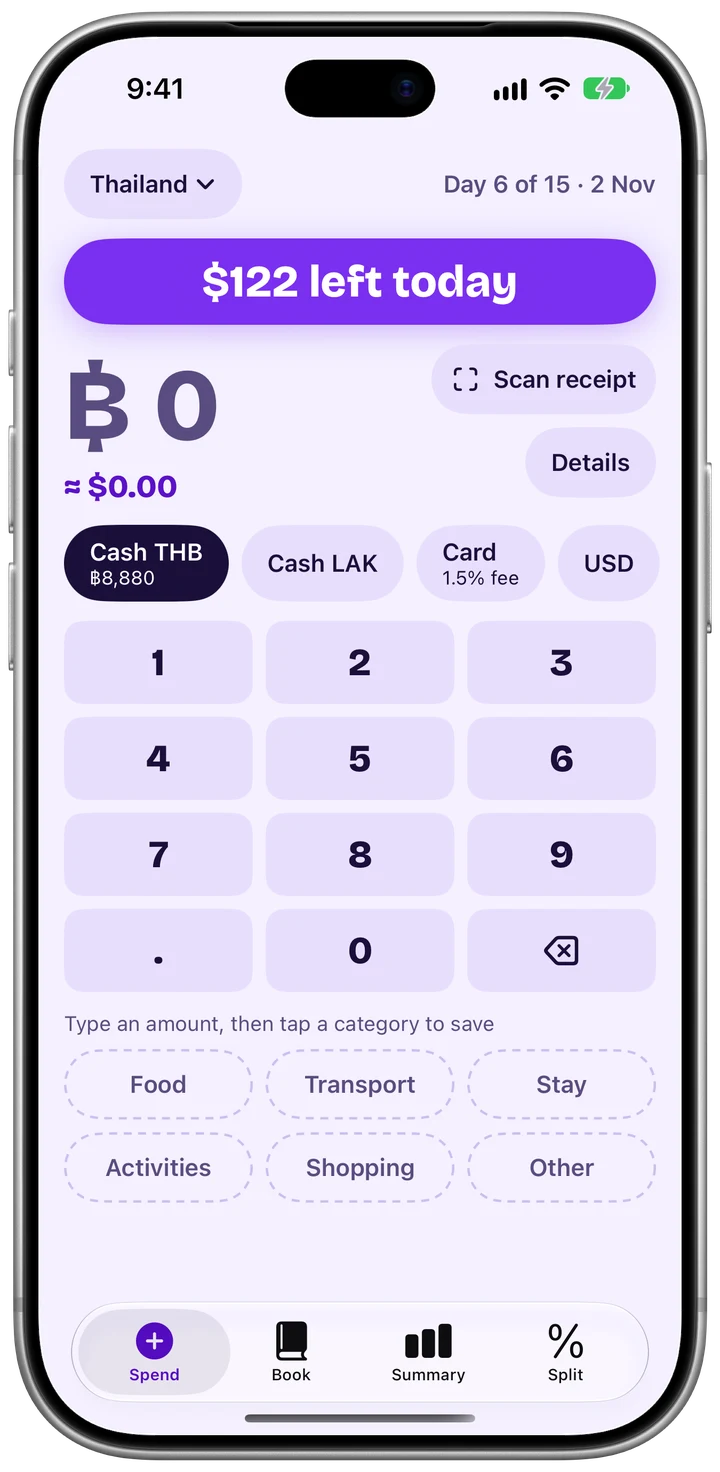

One number for the day.
Spendaway shows what you can still spend today. Log a purchase and the number updates. When you go over, it says so in words.
Two taps
Type the amount and tap a category. There is no save button.
Any currency
Pay in baht, dong, kip or dollars. The value at home shows as you type.
No signal needed
Everything you log is stored on your iPhone, so it works offline.
Cash counted at what it really cost you.
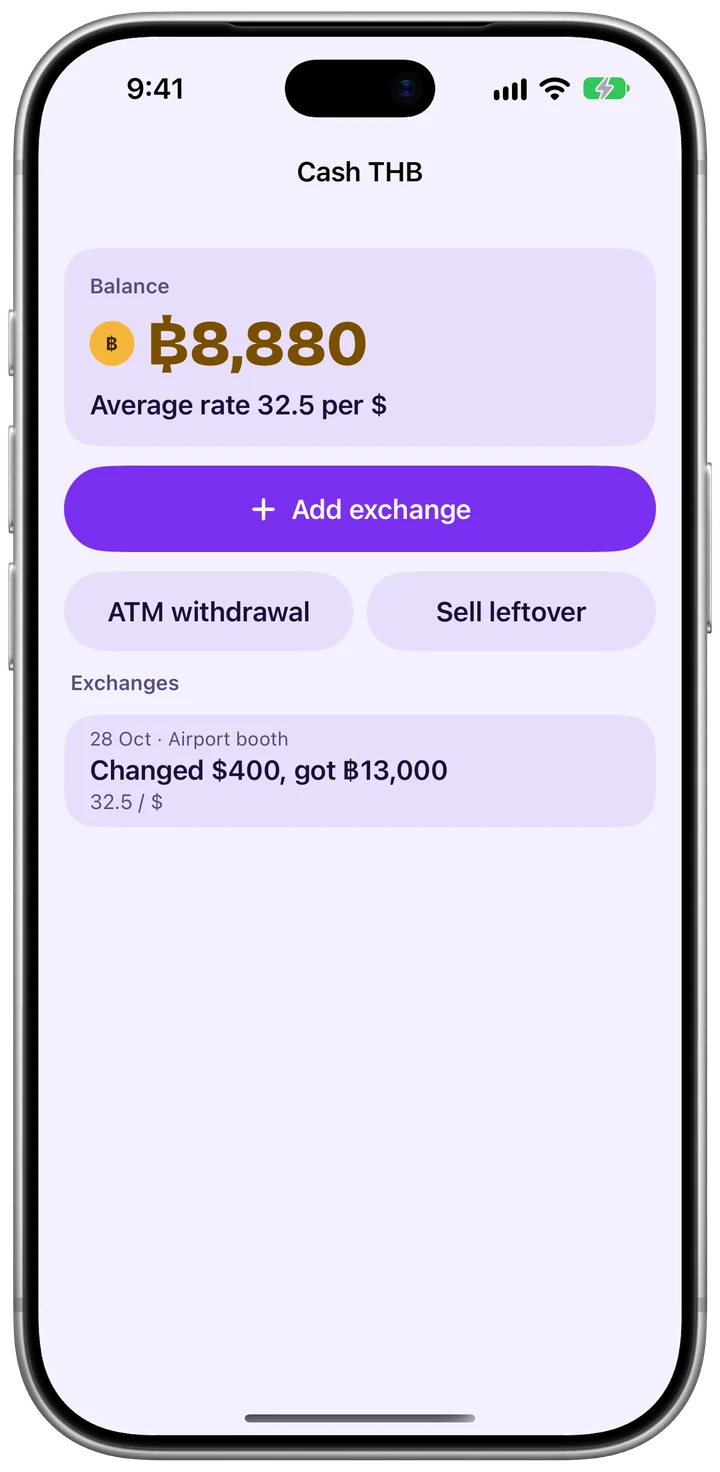
When you change money at a booth, log the rate you actually got. Every cash purchase from that pocket is then counted at that rate, not at a rate from the internet. Card purchases add your bank’s percent fee. The total at the end of the trip is the money really gone.
Changed $400 at a booth, got ฿ 13,000, 32.50 per dollar

Add ATM withdrawals, sell back what is left over, and see your average rate per pocket.
Split with friends, fewest transfers.
One person keeps the book. Mark who paid and who shares each expense. Spendaway shows each person’s balance and the smallest set of payments that settles it. Share the result as text.

Summary
Spending by day and by category, the average per day, and where the trip is heading.
Receipt scanning
The photo is read on your iPhone. You confirm the amount and currency before anything is saved.
Sync with iCloud
Trips sync through your own private iCloud, so a new iPhone picks them up.
Your trips stay yours.
- There is no account to create.
- No server of ours holds your trips.
- No ads, no analytics, no tracking.
- Trips live on your iPhone and in your private iCloud.
- Receipt photos are read on the device.
- Rates arrive as one shared file. Nothing about you or your trips is sent.
Do I need an account?
No. Open the app, start a trip and log your first purchase.
Does it work without signal?
Yes. Logging, Book, Summary and Split work offline. Rates update the next time you are online.
What is a pocket?
A pocket holds money in one currency, such as cash in baht. It remembers the rate you got when you changed it.
Can I use more than one currency in a trip?
Yes. Pay from cash in any of your trip currencies, or from a card.
How do my trips reach a new iPhone?
Through your private iCloud, or with a backup file you save from Settings.
Who can see my trips?
Only you. We do not hold them.